
All-in-One Editable Name Tags (Canva Pro)
All-in-One Editable Name Tags (Canva Pro)
All-in-One Editable Name Tags
Quick Answer
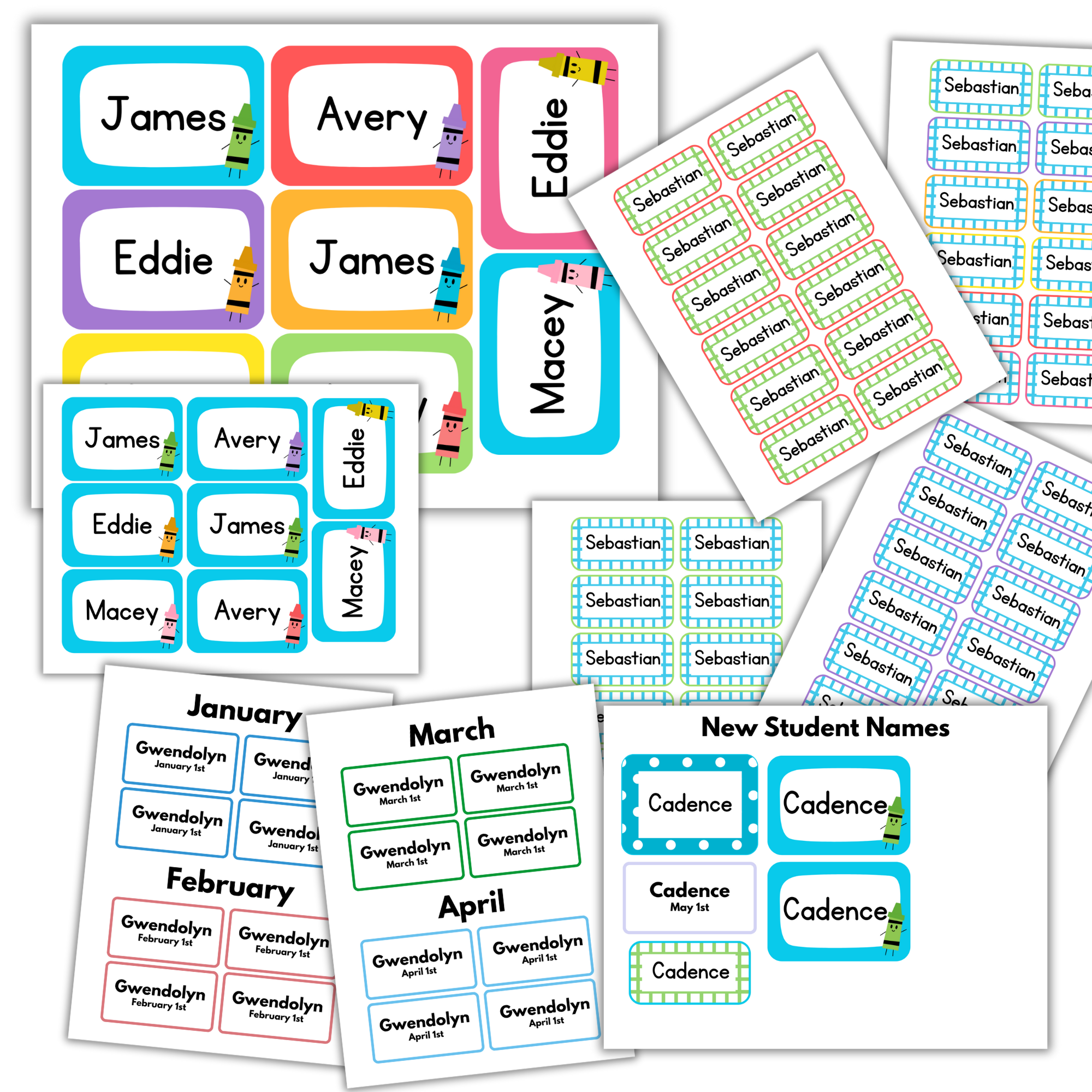
All-in-One Editable Name Tags is a Canva Pro template resource that helps you create multiple types of classroom name tags in one easy-to-use document. This resource includes center name tags, Question of the Day name tags, birthday graph tags, and birthday name tags so you can keep your classroom labels consistent, organized, and easy to update.
This resource requires Canva Pro. Due to Canva changes, some elements that were previously free may now only be available with a Canva Pro subscription.
Description
All-in-One Editable Name Tags are designed to simplify classroom prep by keeping your most-used student name tags together in one editable Canva Pro document.
Instead of managing separate files for different classroom routines, this resource gives you center name tags, Question of the Day name tags, birthday graph tags, and birthday name tags in one place. You can choose the style you want, type your class list directly into the page, and quickly create the tags you need for your classroom.
This setup is especially helpful at the beginning of the school year, but it also makes mid-year changes easier. When a new student joins your class, you do not have to reprint an entire sheet. You can copy and paste each type of tag for that student onto one page, saving paper, ink, and time.
What’s Inside
This resource includes editable Canva Pro name tags for:
Center Name Tags
Question of the Day Name Tags
Birthday Graph Name Tags
Birthday Name Tags
Center Name Tags
Center Name Tags are sized at 2.5" x 3.5", making them useful for adhesive pockets, cubbies, tables, and classroom labeling.
Question of the Day Name Tags
Question of the Day Name Tags are a smaller size, making them useful for interactive boards, daily question routines, and student response activities.
Birthday Graph and Birthday Name Tags
Birthday Graph and Birthday Name Tags help you visually organize student birthdays and special classroom celebrations.
How to Use
Open the provided template link in Canva Pro.
Choose your favorite name tag style.
Type your class list directly into the page you want to use.
Customize the names as needed for your classroom.
Print, cut, laminate if desired, and use the tags for centers, cubbies, tables, Question of the Day routines, birthday graphs, or birthday displays.
When a new student joins your class, copy and paste each type of tag for that student onto one page so you can print only what you need.
Prep Tip
Print on cardstock and laminate if you want the name tags to last throughout the year. Store extra tags or newly added student tags in a folder or small container so they are easy to grab when you need them.
Why It Works
All-in-One Editable Name Tags help make classroom prep faster, cleaner, and more consistent.
This resource helps:
Keep multiple classroom name tags in one editable document
Save time during back-to-school prep
Create a consistent look across classroom labels and routines
Personalize name tags quickly in Canva Pro
Avoid searching through separate name tag files
Make mid-year student additions easier
Save paper and ink by printing only the tags you need
Support classroom organization for centers, routines, and birthday displays
Perfect For
Preschool
Pre-K
Back-to-school setup
Classroom organization
Center name tags
Cubby labels
Table labels
Question of the Day routines
Birthday graphs
Birthday displays
Student name labels
Teachers who want editable Canva Pro classroom templates
Digital Download & Terms of Use
This is a digital download only. No physical product will be delivered.
This resource requires Canva Pro. Due to Canva changes, some elements that were previously free may now only be available with a Canva Pro subscription.
This resource is for personal and single-classroom use only. You may not resell, redistribute, share, upload, or claim this file as your own.
Due to the digital nature of this product, all sales are final.